

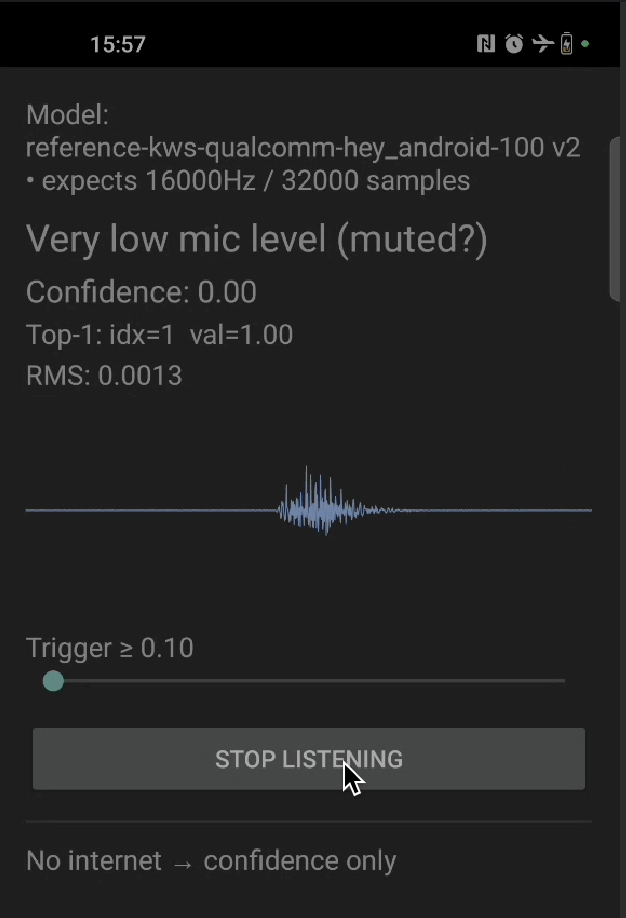
What you’ll build
An Android app that:- Captures audio from the microphone
- Classifies the audio continuously on-device
- Displays the detected keyword and its confidence score
Prerequisites
- A trained keyword spotting model
- Android Studio with the NDK and CMake installed
- An Android device with a microphone (a USB camera with a built-in microphone also works)
1. Clone the repository
2. Download TensorFlow Lite libraries
3. Export your audio model
- In Edge Impulse Studio, go to Deployment.
- Select Android (C++ library).
- Enable EON Compiler.
- Click Build and download the
.zipfile.
4. Integrate the model
Extract the downloaded.zip file and copy its contents, except CMakeLists.txt, into example_kws/app/src/main/cpp/. The folder then looks like this:
5. Check the audio permissions
AndroidManifest.xml already declares the microphone permission:
6. Build and run
- Open the project in Android Studio.
- Select Build -> Make Project.
- Connect your Android device.
- Run the app and grant the microphone permission when prompted.
How it works
Audio capture
Ring buffer for continuous inference
Native inference
Result display
Troubleshooting
No microphone permission prompt
No microphone permission prompt
Confirm
<uses-permission android:name="android.permission.RECORD_AUDIO" /> is in AndroidManifest.xml and that you call ActivityCompat.requestPermissions on first launch. If the system dialog never appears, grant the permission under Settings -> Apps -> your app -> Permissions.Inference runs but no keyword is ever detected
Inference runs but no keyword is ever detected
- Verify the sample rate in
MainActivity.ktmatches the value reported byei_classifier_frequency()(16 kHz for most KWS models). - Confirm
EI_CLASSIFIER_SLICE_SIZEmatches the slice size you read from the microphone before eachrun_classifier_continuouscall. - Make sure your model was exported with EON Compiler enabled and that the labels in
ei_classifier_inferencing_categoriesmatch what you trained on.
Build fails with undefined symbol: aligned_alloc
Build fails with undefined symbol: aligned_alloc
The bundled TensorFlow Lite runtime uses
aligned_alloc, which needs Android API 28 or later. Set minSdk to 28 or higher in app/build.gradle.kts.App crashes on startup with UnsatisfiedLinkError
App crashes on startup with UnsatisfiedLinkError
The native library failed to load. Confirm
ndk { abiFilters += "arm64-v8a" } is set in app/build.gradle.kts and that download_tflite_libs.sh placed .a files in app/src/main/cpp/tflite/android64/.